User Guide

Home

›

User Guide

How to Use ShoppersTran

1. Sign Up / Login

Create a free account to unlock faster checkout and saved preferences. Log in with your email and password to start shopping.

2. Browse Products

Explore categories or scroll through Trendy Products. Each product shows its name, price, and an Add To Cart button.

3. Add to Cart

You can select only one product per session. Click Add To Cart as many times as you want to increase the quantity of that item.

Example: Clicking 3 times means you’re buying 3 units of the same product.

Add to Cart Example

Visual example of adding to cart — each click increases the quantity of the selected product.

4. Checkout

Click Checkout to review your order summary. Payment details (Bank Transfer or Western Union) are generated specifically for your checkout session. Complete payment before the expiry time shown.

5. Fund Your Balance

You can also fund your balance directly within ShoppersTran. Once funded, you can shop using your balance without needing to re‑enter payment details each time.

Good news: Shopping with your balance includes free shipping — no extra shopping fees are added.
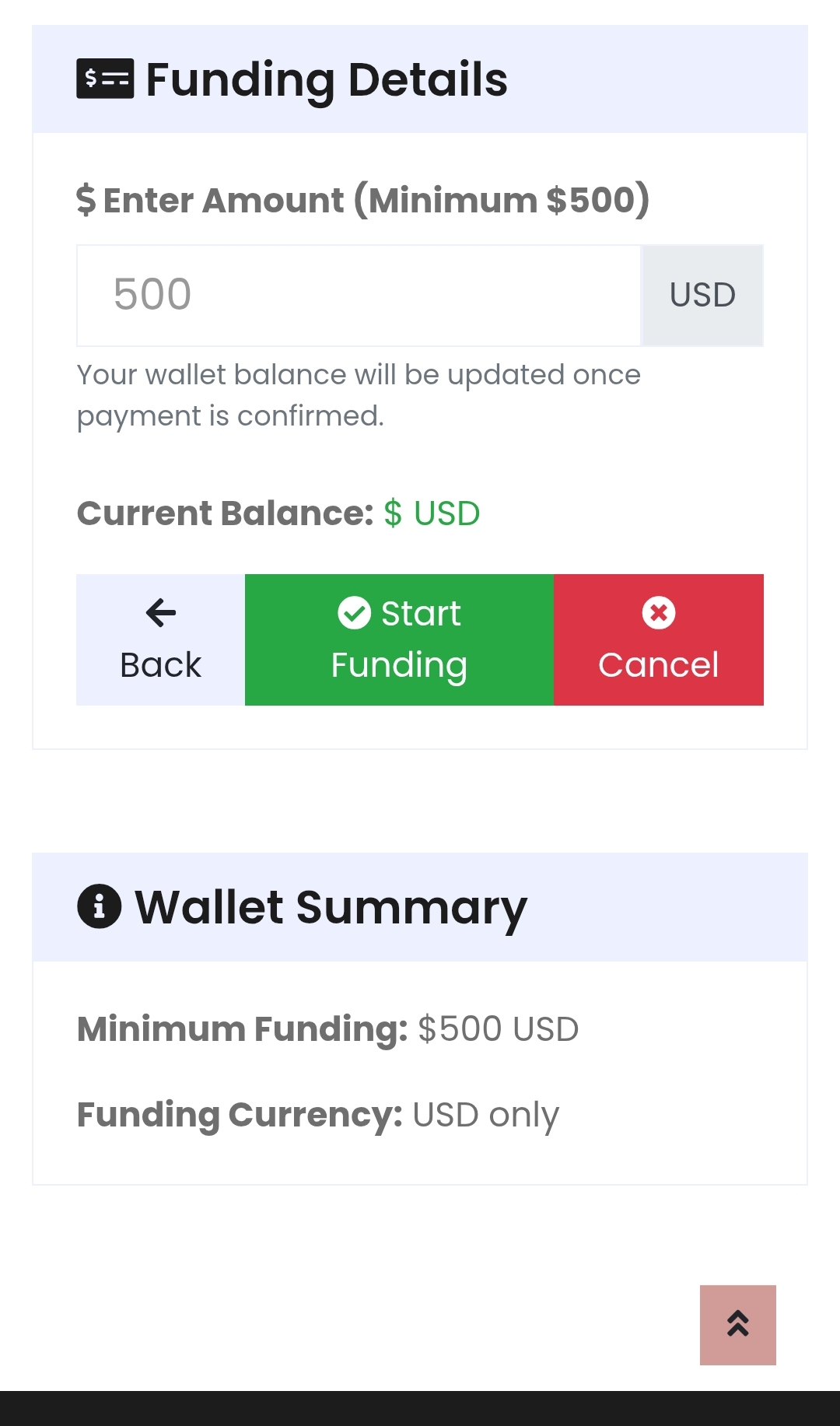
Funding Wallet Example

Visual example of funding your wallet — enter the amount, confirm payment, and your balance updates instantly.

6. Cancel Purchase

If you change your mind, click Cancel. This clears the current checkout session so you can start fresh with another product.

7. Manage Your Account

Update your profile, view past purchases, and track active orders in your dashboard. Reset your password anytime for security.

Tips

  • Decide on the product you want before starting checkout — only one product can be active per session.
  • Use the Add To Cart button to set the exact quantity you need.
  • Complete or cancel your checkout before starting a new one.
  • Funding your balance makes shopping faster and ensures free shipping.
How Your Delivery Is Handled

1. Purchase Completed

Once you finish checkout on ShopperTran, your order details are securely passed to our trusted delivery partner — World Fastest Courier Company.

2. Handover to Delivery Company

From this point forward, World Fastest Courier Company takes full responsibility for your consignment. ShopperTran’s role ends here — you don’t need to contact ShopperTran about delivery. The courier team is highly experienced and known for fast, safe, and reliable service.

3. Notifications

You’ll receive all necessary updates directly from the delivery company. They keep you informed every step of the way through:

  • Email notifications
  • SMS messages
  • Phone calls for important updates

4. Tracking & Status

Your delivery partner provides a tracking number and real-time status updates so you can monitor progress until your package arrives safely.

Track your delivery here: World Fastest Courier Company Website

5. Final Delivery

When your package is delivered, World Fastest Courier Company confirms completion. Their professional team ensures your items arrive in perfect condition and on time.

Reminder: After checkout, ShopperTran is no longer involved in delivery. All updates, tracking, and support are handled directly by World Fastest Courier Company, who are experts at what they do.

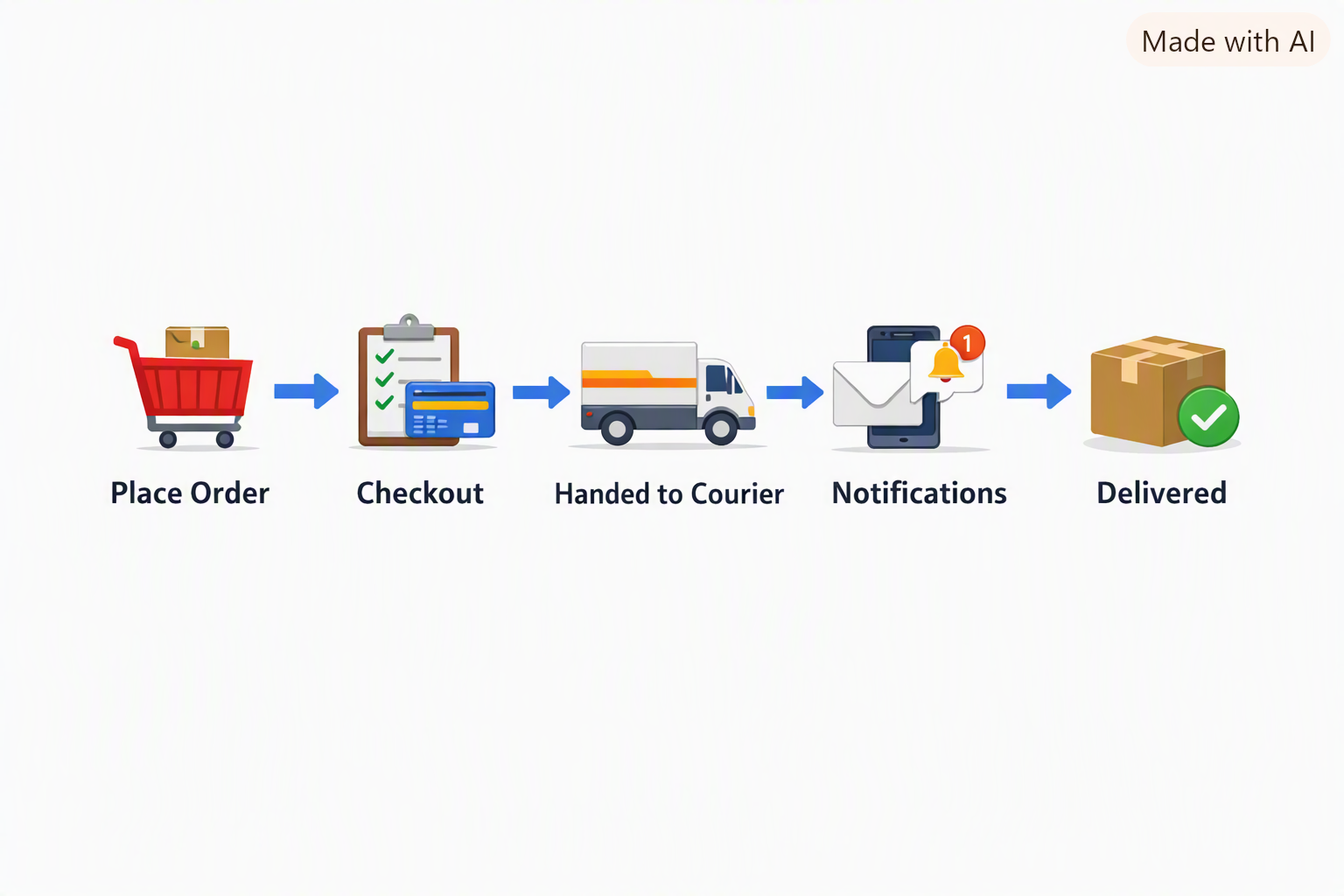
Delivery Process Timeline

Delivery journey: Place Order → Checkout → Handed to Courier → Notifications → Delivered

Need Help With Your Delivery?

Our support team is available to answer questions, handle complaints, and guide you about your purchased product.

We respond within 24 hours on all channels.

Tran

Get to Know Us

123 Street, New York, USA

info@example.com

+012 345 67890

© ShoppersTran. All Rights Reserved.
Distributed By Ourshops